I have just finished my first VMware vSAN ESA Plan, Design, Implement project and had a chance to test vSAN ESA performance. Every storage should be stressed and tested before being put into production. VMware's software-defined hyperconverged storage (vSAN) is no different. It is even more important because the server's CPU, RAM, and Network are leveraged to emulate enterprise-class storage.
Friday, November 29, 2024

Sunday, November 17, 2024
ESXi update from cli
Step 1: upload the VMware-ESXi-8.0U3b-24280767-depot.zip file to a datastore accessible by the host.
esxcli software sources profile list -d /vmfs/volumes/[datastore]/VMware-ESXi-8.0U3b-24280767-depot.zip
esxcli software profile update -d “/vmfs/volumes/[datastore]/VMware-ESXi-8.0U3b-24280767-depot.zip” -p ESXi-8.0U3b-24280767-standard
Saturday, November 16, 2024
VMware vCenter (VCSA) Update via shell command software-packages.py
Online update
cd /usr/lib/applmgmt/support/scripts
./software-packages.py stage --url --acceptEulas
./software-packages.py list --staged
./software-packages.py validate
./software-packages.py install
ISO update
Download the VCSA patch which should end with FP.iso from support.brocade.com > selecting VC and the version.
Upload the file to a datastore and map it to the VCSA VM through CD / DVD Drive option.
Patch the VCSA from CLI.
Run the following commands
software-packages.py stage –-iso
software-packages.py list –-staged
software-packages.py install –-staged
Reboot the VCSA VM.
This should patch the VCSA
Thursday, November 14, 2024
Mount SFTP share via sshfs
#!/bin/bash
sshfs david.pasek@gmail.com@sftp.virtix.cloud:./ ~/mnt/sftp -p 55022
Wednesday, November 13, 2024
OpenNebula - VMware Alternative
Web Admin Management Interface (SunStone) is at https://[IP]:2616
Main Admin User Name: oneadmin
Default network is 172.16.100/24
Tuesday, November 12, 2024
Monitoring VMware vSphere with Zabbix
Source: https://vmattroman.com/monitoring-vmware-vsphere-with-zabbix/
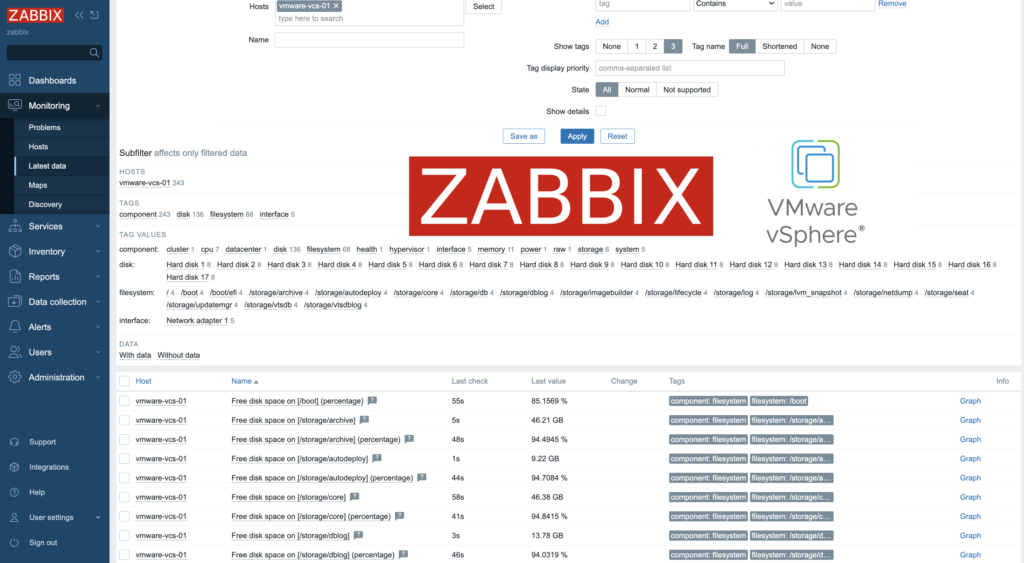
Zabbix is an open-source monitoring tool designed to oversee various components of IT infrastructure, including networks, servers, virtual machines, and cloud services. It operates using both agent-based and agentless monitoring methods. Agents can be installed on monitored devices to collect performance data and report back to a centralized Zabbix server.
Zabbix provides comprehensive integration capabilities for monitoring VMware environments, including ESXi hypervisors, vCenter servers, and virtual machines (VMs). This integration allows administrators to effectively track performance metrics and resource usage across their VMware infrastructure.
In this post, I will show you how setup Zabbix monitoring with VMware vSpehre infrastructure.
Jak zabránit čekání na obnoveni NFS datastore při startu ESXi?
Jak zabránit čekání na obnoveni NFS datastore při startu ESXi?
Když vám ESXi odmítá startovat 1-2 hodiny, protože se pokouší připojit NFS datastore, které jsou dávno odstraněné.
1. Proveďte restart ESXi
2. Stiskněte Shift+O při startu
3. Na konec řádku zadejte jumpstart.disable=restore-nfs-
4. Potvrďte pomocí klávesy Enter
Backup and restore ESXi host configuration data using command line
Source: https://vmattroman.com/backup_

In some cases we need to reinstall ESXi host. To avoid time consuming setting up servers, we can quickly backup and restore host configuration. To achieve this, there are three possible ways: ESXi command line, vSphere CLI or PowerCLI.
In this article I will show how backup and restore host configuration data using ESXi command line.
Monday, November 4, 2024
What is ESXi Core Dump Size?
ESXi host Purple Screen of Death (PSOD) happens when VMkernel experiences a critical failure. This can be due to hardware issues, driver problems, etc. During the PSOD event, the ESXi hypervisor captures a core dump to help diagnose the cause of the failure. Here’s what happens during this process.
Sunday, November 3, 2024
List devices
esxcli storage core device list
Get S.M.A.R.T information
[root@esx24:~] esxcli storage core device smart get -d t10.NVMe____KINGSTON_SNVS1000GB_____________________55FA224178B72600
[root@esx24:~] esxcli storage core device smart get -d eui.0000000001000000e4d25c0f232d5101
The output looks like this

VMware KB: https://knowledge.broadcom.com/external/article/314303/displaying-smart-data-for-nvme-devices-i.html
Saturday, November 2, 2024
Install and setup xfcw window manager in Centos 9
Install and setup xfcw window manager in Centos 9
sudo dnf -y groupinstall "Xfce"
Optional if multi-user console is used as default target. This would configure the system to boot into the graphical interface by default.
sudo systemctl set-default graphical.target
echo "xfce4-session" > $HOME/.xsession
chmod +x $HOME/.xsession
sudo reboot
Applications are defined in directory /usr/share/applications
Every application has its own definition file with file extension .desktop
For example you can use file chrome.desktop with the following content
[Desktop Entry]
Version=1.0
Name=Chrome
Comment=Google Chrome
Exec=/opt/google/chrome/chrome
Icon=/opt/google/chrome/product_logo_64.png
Terminal=false
Type=Application
Categories=Network;WebBrowser;
Subscribe to:
Posts (Atom)